
See the Business Clearly. Build What Actually Matters.
YATSUR is a method, not a tool. First you learn to see the business — where the friction, leaks and missing connections actually are — then you build the right systems in the right order, with the right people. Foundations is where that skill starts.
You'll Learn How to See Where It All Belongs.
All of these automations, systems and possibilities already exist. The skill is learning how to see the business clearly enough to know which piece goes where — and why. This is what the hands-on accelerator trains you to do.
Start Learning and Building in a Real World Environment
Your One-Time Investment Includes
$197 One-Time
- Complete YATSUR Foundations Curriculum — Part Zero + Stages 1–6
- Business Forensics & Operational Investigation Method
- Business Anatomy & Systems Thinking
- Personal Systems / Personal AI OS Foundations
- Business X-Ray Fundamentals
- Current-State Operational Mapping
- Workflow, Handoff & Exception Mapping
- Evidence, Source-of-Truth & Reality-Verification Method
- Bottleneck, Dependency, Leakage & Friction Analysis
- Technology & Data Literacy for Nontechnical Operators
- CRM, Records, Fields, Pipelines, Forms & Workflow Fundamentals
- Human vs. Simplify vs. Standardize vs. Automation vs. AI vs. Specialist Decision Framework
- AI-Assisted Research, Learning & Investigation
- Frontier AI Context & Prompting Fundamentals
- Use-Your-Own-AI Guidance for ChatGPT, Claude and Other Capable Models
- Screenshot & Evidence-Verification Method
- Controlled First-Build / Workflow Exercise
- Practice Business Cases & Guided Exercises
- YATSUR Field Manual / Core Learning Resources
- AI General Contractor Orientation & Roadmap
- Technical Operator Orientation & Roadmap
- Operational Findings & Recommendation Pack
- Growing Videos, Examples, Tools, Templates & Walkthroughs
- 90-Day YATSUR Community Trial
$197 One-Time · Foundations does not include a software subscription, hosted Workspace, AI usage, phone, messaging, email, voice, or other metered platform services. When a hands-on exercise uses a business platform or AI service, you can use an eligible account/tool you already have or choose to obtain one separately. 90-day Community access included — no automatic renewal.
What Foundations Teaches You to Do
Start by learning to see the system before trying to rebuild it.
- Understand, investigate & map a bounded operation
- Find evidence-backed friction, leaks, dependencies & opportunities
- Reconstruct how work actually moves through people and systems
- Separate what people say happens from what records actually show
- Identify hidden rules, exceptions and key-person dependencies
- Understand the basic components of a modern business operating system
- Understand CRM, data, records, fields, pipelines, workflows & integrations
- Decide what stays human vs. simplify/standardize/automation/AI/specialist
- Use frontier AI to investigate, learn, compare, challenge assumptions & organize findings
- Complete a controlled first workflow/build exercise
Foundations teaches you to understand, investigate, map and decide. The Operator Program teaches you to design, build, coordinate, sell and deliver.
The Business Systems Landscape You’ll Learn to Understand
What you’ll learn to connect — not a software bundle included for $197
Customer & Revenue Systems
CRM & Contacts · Leads · Opportunities · Pipelines · Lead Routing · Qualification · Follow-Up · Customer Journeys · Attribution · Reviews
Workflow & Operations
Workflow Automation · Tasks · Notifications · Forms · Surveys · Calendars · Onboarding · Support · Internal Processes · Templates
AI Systems
Frontier AI Models · AI Assistants & Agents · Voice AI · AI Workflow Building · Knowledge Bases · Research · Analysis · Content Assistance
YATSUR teaches you how these components fit into a business operating system.
You learn what each component is for, how they connect, when AI or automation belongs, and when specialist help is appropriate. The availability and cost of specific software, AI models, communication services and usage-based features depend on the tools and providers you choose. Foundations teaches you to understand, investigate, map and decide. The Operator Program teaches you to design, build, coordinate, sell and deliver.
Where Are You Starting From?
YATSUR serves different intentions through the same coherent architecture. Find your path — the engine behind it is unified.
Path A — Learn
Foundations → Practice → Self-Paced → Live → Certification → ongoing Community and professional development. For people who want to build the capability.
Explore LearningPath B — Improve My Own Business
Foundations / Audit Learning → Map My Business → self-build where appropriate → specialist help where necessary → Workspace for your own environment.
Learn Audit & MappingPath C — Have YATSUR Help
Business X-Ray → findings → blueprint → optional technical review → implementation → QA → launch → optimization. For businesses that want it done for them.
Start With a Business X-RayThe Technical Network supports all three paths — connecting specialists to the work that needs them.
From Business X-Ray to Optimization.
When YATSUR does the work with you, every stage has a purpose and a handoff. You always know where you are, what's happening, and what comes next. No step is skipped, and no tool is chosen before the problem is understood.
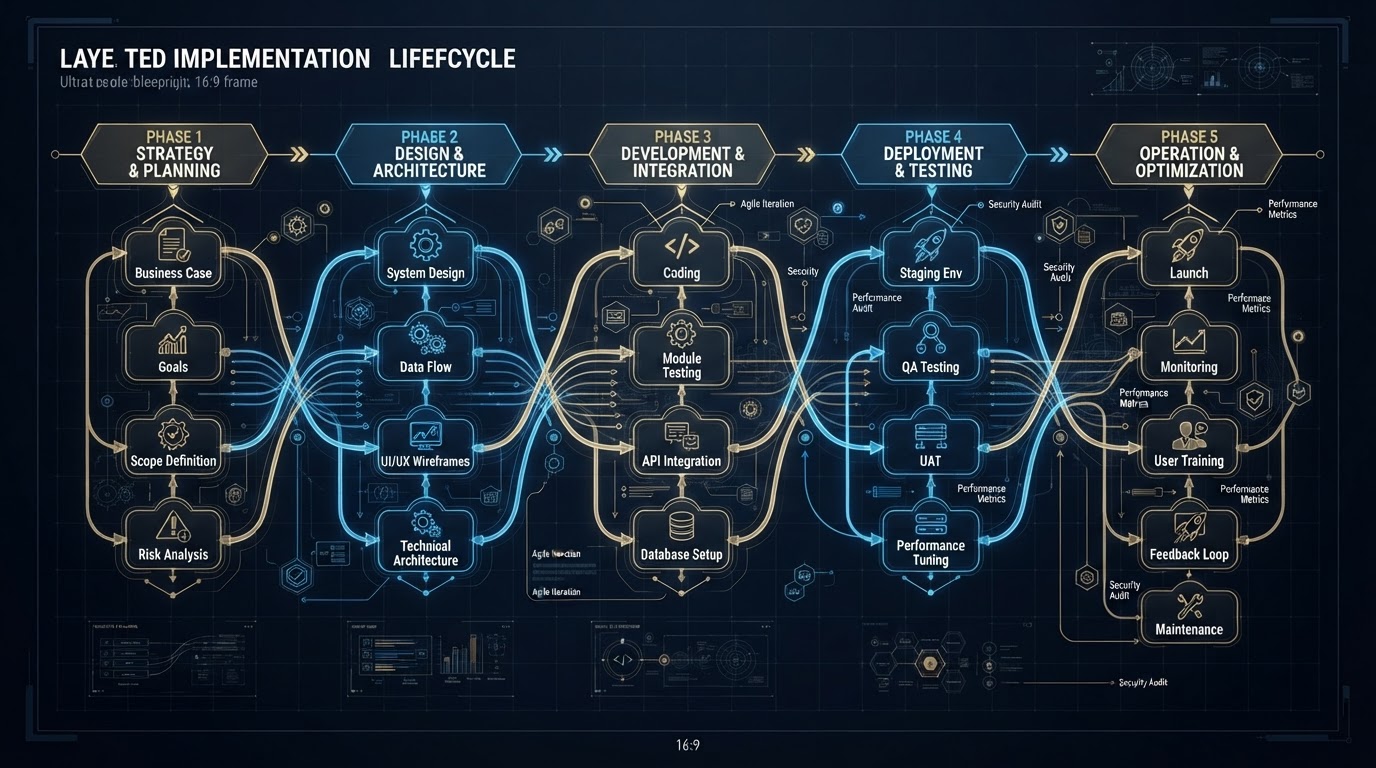
Business X-Ray
Reconstruct how the business actually operates — not how it's supposed to.
Findings
Document bottlenecks, dependencies, risks, and opportunities with evidence.
Priorities
Sort problems into the right intervention categories so nothing is over-built.
Solution Architecture
Design the target system and how every component connects and depends on the next.
Technical Validation
Specialists review feasibility, effort, security, and dependencies before we commit.
Proposal / Scope
Translate the plan into a clear, scoped proposal with no mystery line items.
Implementation
Approved components move into build, coordinated as one project.
QA
Test workflows, integrations, edge cases, permissions, and recovery paths.
Controlled Launch
Roll out with monitoring in place and a clear rollback path.
Measurement
Track results against the success criteria we defined up front.
Optimization
Identify new bottlenecks and improve the system as the business changes.
One Identity. Many Entrances. The Right Next Step.
Someone may arrive through the website, a landing page, pricing, content, social, an ad, a referral, a calendar, a direct checkout, or Community. All identifiable entrances normalize into one linked customer identity — then the system asks: who are they, where did they come from, what are they trying to accomplish, and what is their next useful action?
Not 'Which Email Is Next' — 'What's Useful for This Person Now?'
Instead of a single linear campaign, YATSUR responds to the person's actual state. This is what makes the funnel dynamic.
The Lifecycle Doesn't End at Payment.
YATSUR understands the entire customer lifecycle — from awareness to reactivation. Each stage feeds the next, and the system is designed around the complete journey, not just the sale.
Different Pages Serve Different Intent. One Unified Customer State.
A Foundations funnel, a Business X-Ray funnel, and a Live page each serve a different intent — but they must not create unrelated identities or duplicated fulfillment engines. The source may differ. The customer state is unified.
Foundations Funnel
Landing page → qualification → direct checkout → optional booking → confirmation → follow-up → purchase → thank-you → fulfillment.
Business X-Ray Funnel
Business problem → fit information → optional fit conversation → checkout → paid intake → paid discovery → delivery.
Live Accelerator Page
Advanced training → weekly implementation lab → certification path → enrollment.
Checkout Is Part of the Operating System.
A successful payment becomes: validate → identify product → register purchase → calculate entitlement → fulfill → verify → show the correct next step. Thank-you pages explain what was purchased, what happens next, what's ready, and what to do first. We never say Workspace is ready until it has actually been verified ready.
Automation Should Make Service More Coherent — Not More Frustrating.
If a customer has a real problem, the system recognizes it, routes it correctly, preserves context, and makes resolution more important than sending the next marketing campaign. The objective is appropriate communication, not maximum automated communication.
From Audit to Buildable Specification.
A recommendation alone is not enough. When appropriate, YATSUR turns findings into an implementation-ready blueprint that a builder can actually work from.
The blueprint is the bridge between "here's what's wrong" and "here's what to build." It spells out the current state, the target state, and everything in between — who triggers it, what systems are involved, where a human must approve, where AI steps in, and what counts as done.
Every field below is a decision made deliberately — not guessed at during the build. That's what makes the plan buildable instead of aspirational.
What the Project Actually Requires.
Like a construction bill of materials, this identifies every component, system, and specialist the implementation needs — reinforcing the general-contractor model. You see the whole scope before a single trade is called in.
Ready to Start?
Foundations is the entry point — learn the method, get a real Workspace, and build the whole system behind the front door. $197 one-time, no automatic monthly conversion.
Book a Call or Send a Message.
Have questions about the process? Enter your details once, then book a discovery time or send a message.
Your details and message go to our system with the right tags when you confirm a time. No separate form — booking and messaging happen together.
November 2026
Times shown in your local timezone (UTC).